

An additive and FM synthesiser,
thirty-two partials deep.
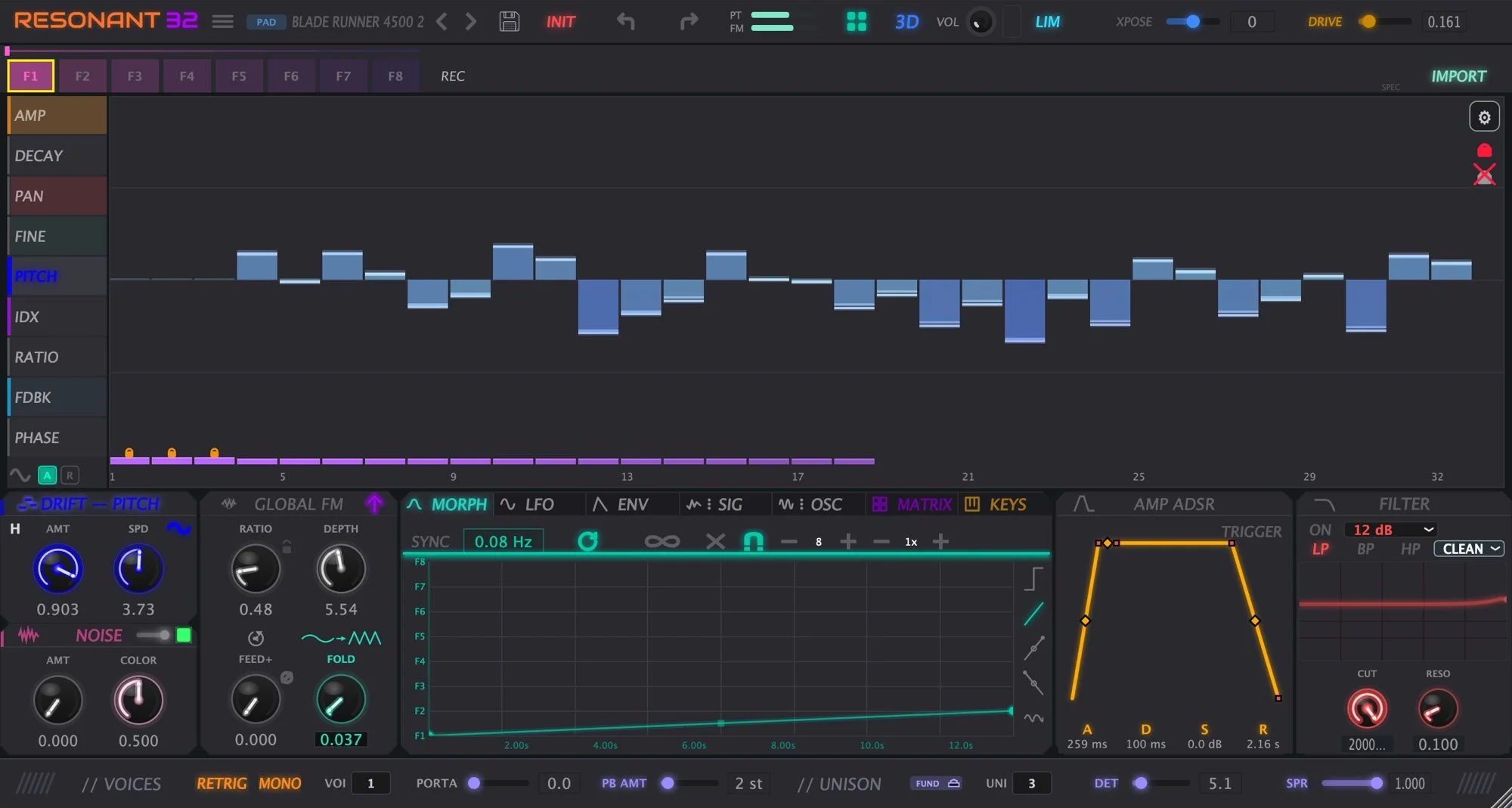
Every partial has its own amplitude, tuning, pan, decay and FM operator. Draw them, morph them across eight frames, modulate any of it.
£49 until 2 December, then £69 · macOS and Windows · AU, VST3, Standalone
Why it is different
Most synths take sound away. This one builds it.
Subtractive synthesis starts with a rich waveform and filters pieces off. Resonant 32 starts with thirty-two individual partials — thirty-two sine waves you control one at a time — and lets you build the sound up from nothing.
What makes that worth using is everything stacked on top: every partial carries its own FM operator, the whole spectrum morphs across eight frames, and any of it can be modulated by anything.
It is a deep instrument and it does not pretend otherwise. Nine fields times thirty-two partials times eight frames, with drift, shapers, four modulators and a thirty-two slot matrix reaching all of it. You can get a sound in thirty seconds from a preset, and you can still be finding new corners of it a year later.
The partial editor
Nine controls, thirty-two partials, drawn by hand.
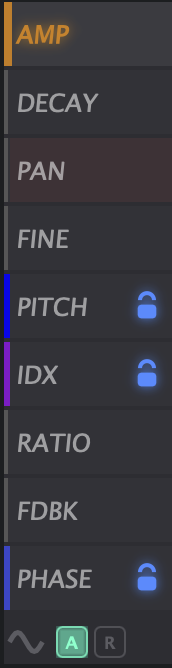
AMP, DECAY, PAN, FINE, PITCH, IDX, RATIO, FDBK and PHASE. Pick a field from the rail and you are looking at a row of thirty-two values you draw with the mouse.
Pull a curve across the amplitudes and the tone changes under your hand. Scatter the pans and it opens up. Detune the FINE row slightly and it breathes. Lock the partials you want to keep, and the rest stay free to move.
And none of it is frozen. Every field is a modulation target and every field is automatable from your DAW, right down to individual partials. All nine fields morph across the frames too — so AMP, PITCH, IDX and FDBK can each be travelling somewhere different while a single note is held.
Shapers
Draw the whole spectrum in one gesture.
Setting thirty-two values by hand is fine when you know exactly what you want. The Spectral Shape tool is for when you do not. Drop breakpoints across the partial range, drag the curve between them, and the whole field follows.
It works on whichever field you have selected, in absolute mode where the curve becomes the values outright, or relative mode where it bends what is already there and keeps the character of the patch you have built.
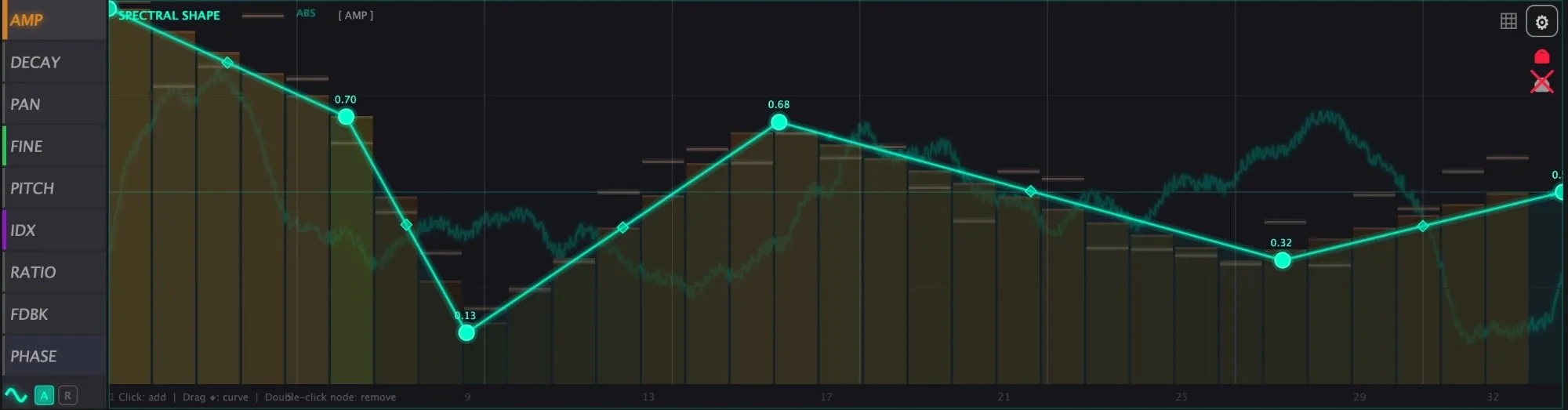
Spectral Shape on the AMP field. Click to add a node, drag to curve, double-click to remove.
Drift
Nothing sits perfectly still.
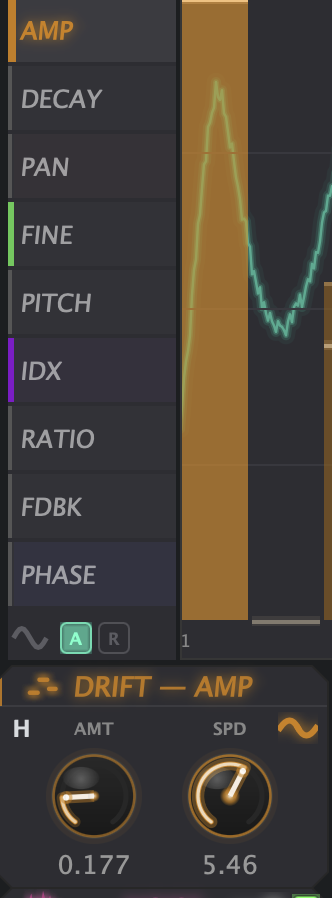
The dead giveaway of a digital instrument is that every note is identical to the last one. Drift is the cure. Each of the nine fields has its own drift with an amount and a speed, moving the partials slowly and independently of one another.
A touch on AMP and the balance breathes. A touch on FINE and the tuning wanders the way real strings do. A touch on PAN and the stereo image will not sit still. It is the difference between a sound that is played and a sound that is merely triggered.
Eight frames
Eight spectra, F1 to F8.
Each frame holds a complete thirty-two partial spectrum, drawn independently. F1 can be a soft fundamental and F8 a screaming stack of upper harmonics, with six more states in between.

The frame selector. Whichever frame is lit is the one you are drawing.
Morph
A spectrum that changes while the note is held.
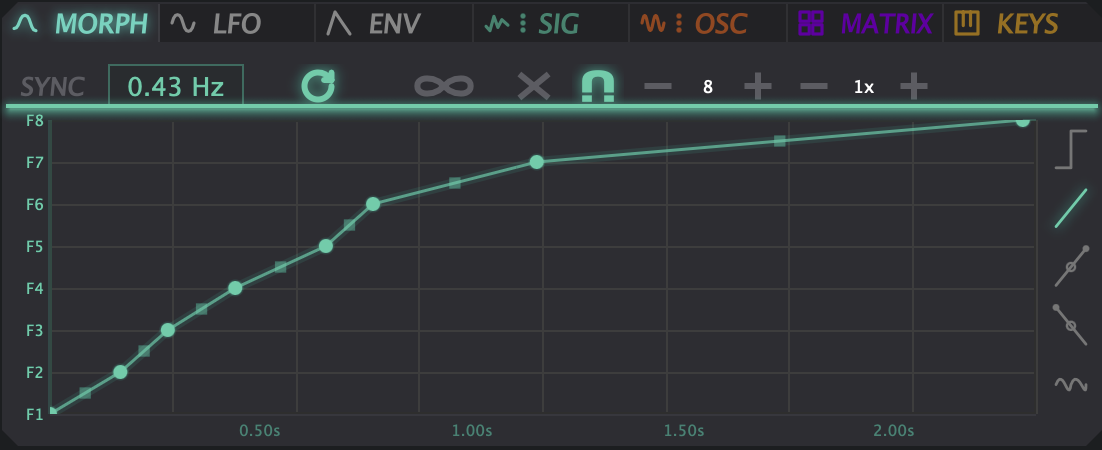
The morph engine moves between those eight frames over time. Free running, tempo synced, triplet or dotted, looped, or shaped by hand as a curve with breakpoints you drag.
A pad that opens over four bars, a bell that decays into something else, a bass that shifts on the beat: all of it is the morph engine travelling through frames you drew.
Frequency modulation
Two kinds of FM, working together.
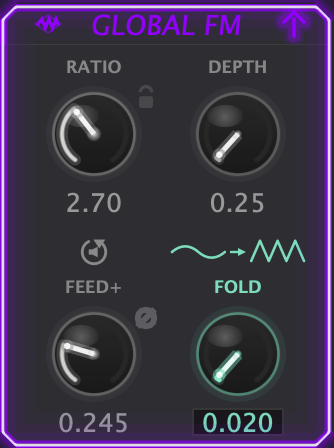
A Global FM operator drives the whole spectrum at once, with ratio, depth, feedback and a wavefolder. Underneath it, every single partial has its own ratio, index and feedback.
The feedback goes negative, which ordinary FM does not do, and the result is rougher and more vocal than the usual metallic DX character.
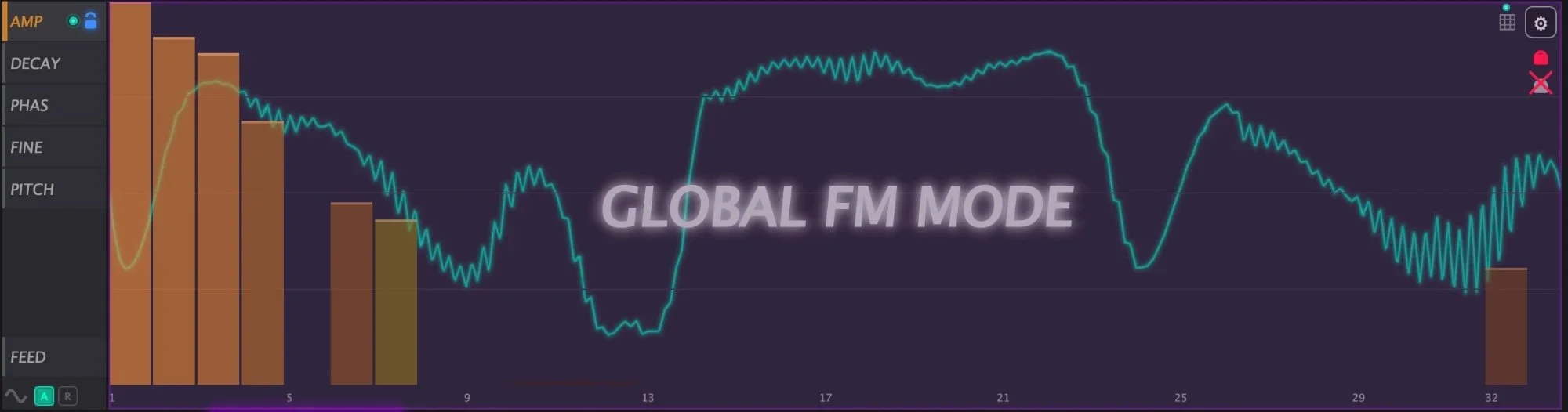
Global FM mode: the modulator drawn straight over the partials it is driving.
The modulators
Four sources, and none of them an afterthought.
Most synths give you two LFOs and an envelope and call it modulation. These are instruments in their own right, and every one of them can reach every field of every partial.
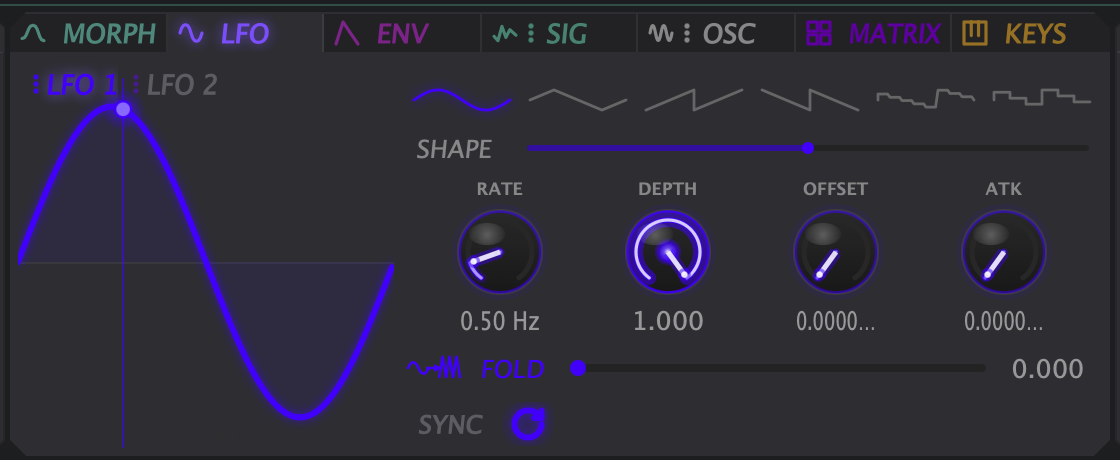
Two LFOs
Sine, triangle, saw, ramp, square, random and sample & hold, plus a drawable shape and a wavefolder of their own. Tempo sync, offset and attack. Push the rate up and an LFO leaves modulation territory and becomes an oscillator.
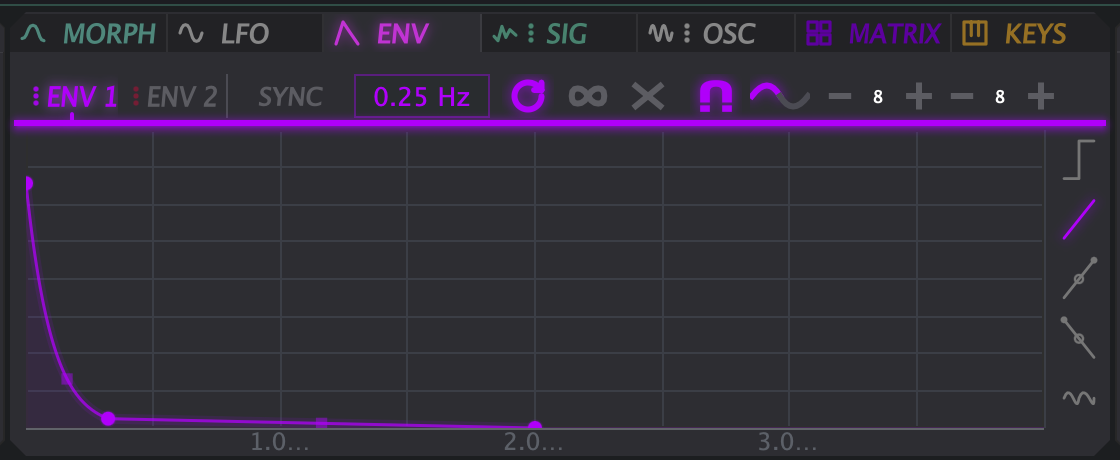
Two envelopes
Not ADSR. Breakpoints you draw and drag into any shape you like, looping or one-shot, measured in seconds or locked to the bar. A curve that takes four bars to open is as easy to make as a click.
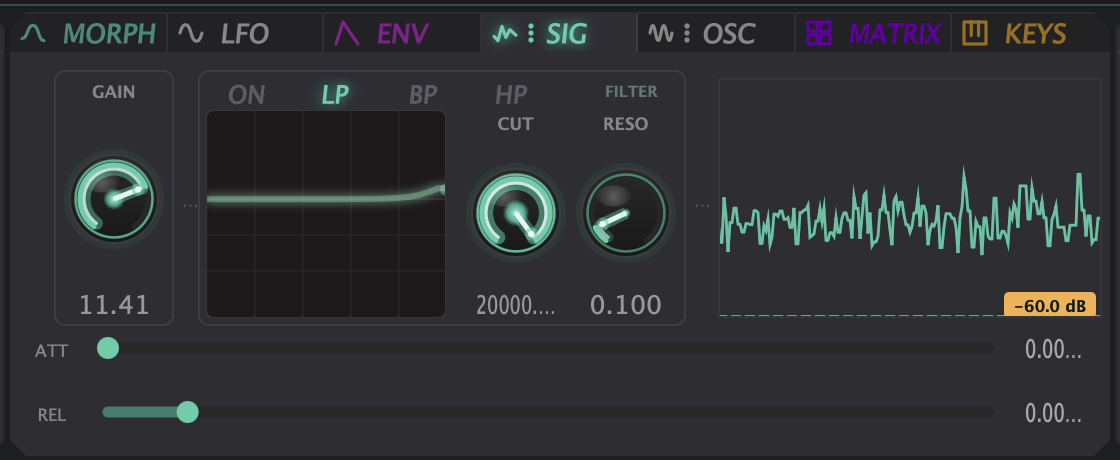
The signal follower
It listens to what the synth itself is putting out, filters and gates that signal, and hands you back its dynamics as a modulation source. Like feedback, except you decide exactly what it feeds and where it lands.
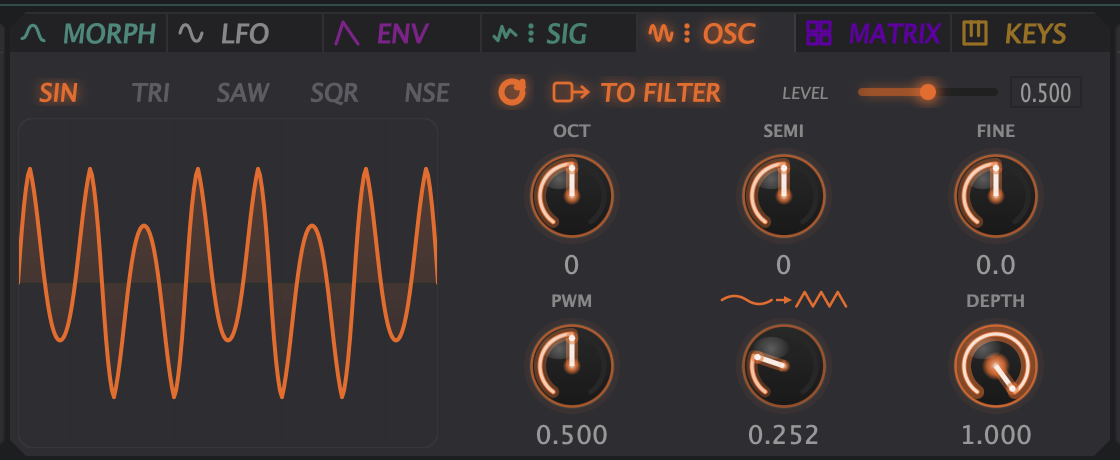
The aux oscillator
A full oscillator — sine, triangle, saw, square, noise — with its own tuning, PWM and wavefolding. Route it into the filter and it layers under the additive engine. Route it into the Mod Matrix and it modulates.
Modulation
Thirty-two routes, and sources worth routing.
Two LFOs with sync, custom shapes, random and sample and hold, running all the way up to audio rate so an LFO becomes another oscillator. Two loopable envelopes you draw as breakpoints, in seconds or in beats.
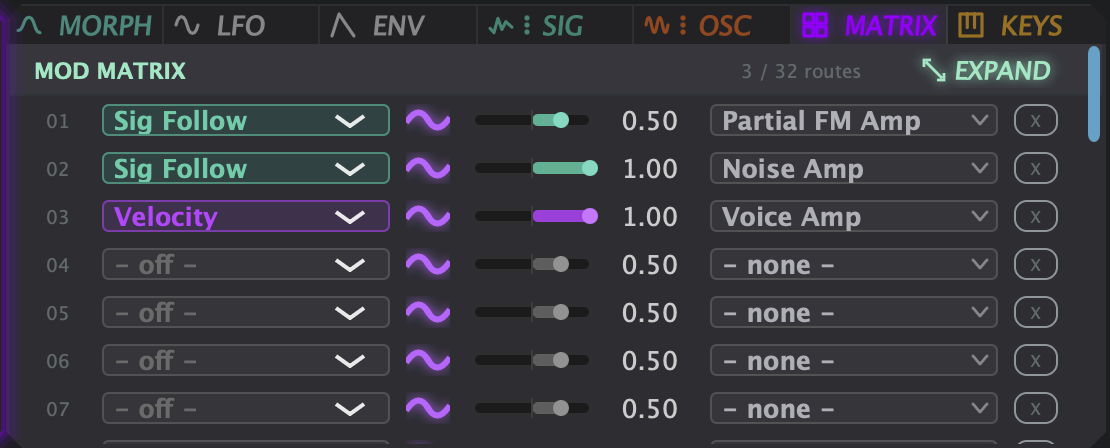
You do not have to use the matrix at all. Pick up a modulator by its chip and drop it straight onto the thing you want it to move — a knob, a node on an envelope, a breakpoint on a shaper, a field in the partial editor. The route is made where you dropped it.
The Mod Matrix is there when you want to see everything at once: thirty-two routes, with per-partial fields among the targets, so an envelope can sweep PAN across the spectrum while an LFO opens the filter.
And the modulators are targets themselves. LFO rate, depth and phase, the time and level of any envelope breakpoint, even the amount and speed of the drift — all of it can be modulated by something else. An envelope that accelerates an LFO that is widening the drift on PITCH is a perfectly ordinary thing to build here.
Filters
Four filters, properly modelled.
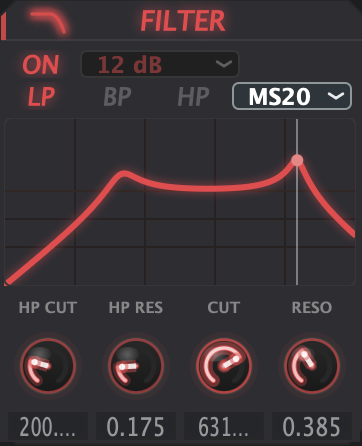
Not one filter with a character knob. Four separate models: a clean digital filter, a Moog style transistor ladder, a 303 diode ladder and an MS-20 Sallen-Key. Low pass, band pass and high pass, twelve or twenty-four dB per octave, with a separate high pass alongside.
The 303 and the MS-20 are the ones that misbehave, and that is the point.
The output stage
Filter, desk drive, limiter.
After the filter the whole mix hits a saturation stage modelled on an overdriven mixing desk — the thing that makes a sound feel recorded rather than rendered. Push it gently for weight, push it hard for grit.
A limiter sits last in the chain with its own gain-reduction meter, so a patch with thirty-two partials and four unison voices stacked on top of each other stays under control instead of clipping your master bus.
Playing it
Play the harmonics from your keyboard.
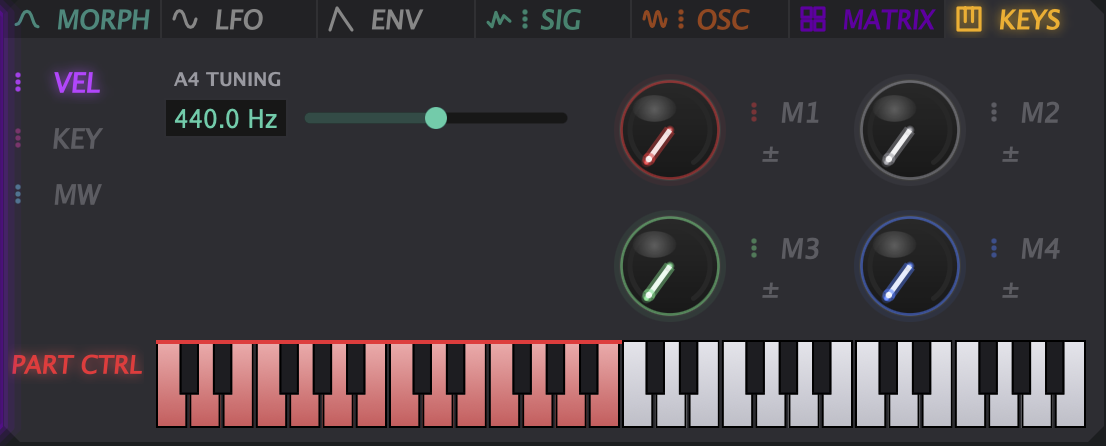
Partial Performance Mode maps the bottom two octaves of your MIDI keyboard straight onto the partials — the red keys below. Hold a chord up top and the patch sounds as it should. Play down low at the same time and you are playing its individual harmonics by hand, live, while the note is still sounding.
Alongside it sit four assignable macros and A4 tuning, so the whole instrument can be pulled to 432 Hz or anywhere else.
Bass music
Built by a drum and bass producer, and it shows.
Thirty-two partials with independent decay is how you get a sub that stays solid while everything above it moves. Negative FM feedback and the 303 ladder are where reeses, growls and screeches live. The morph engine drags all of it across eight frames in time with the track.
It will do pads and bells beautifully, and plenty of the presets do. But it was designed in a drum and bass studio, for drum and bass problems.
Sample import
Point it at a sound and let it listen.
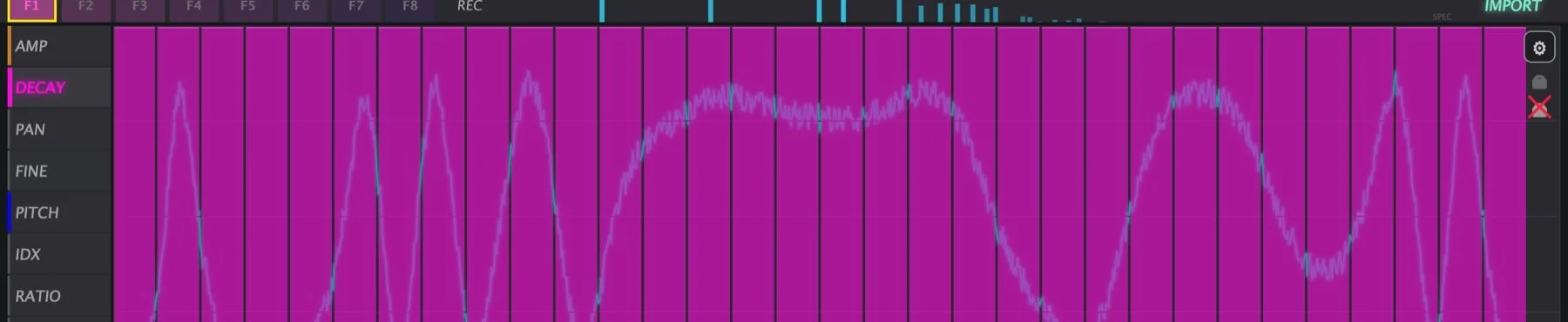
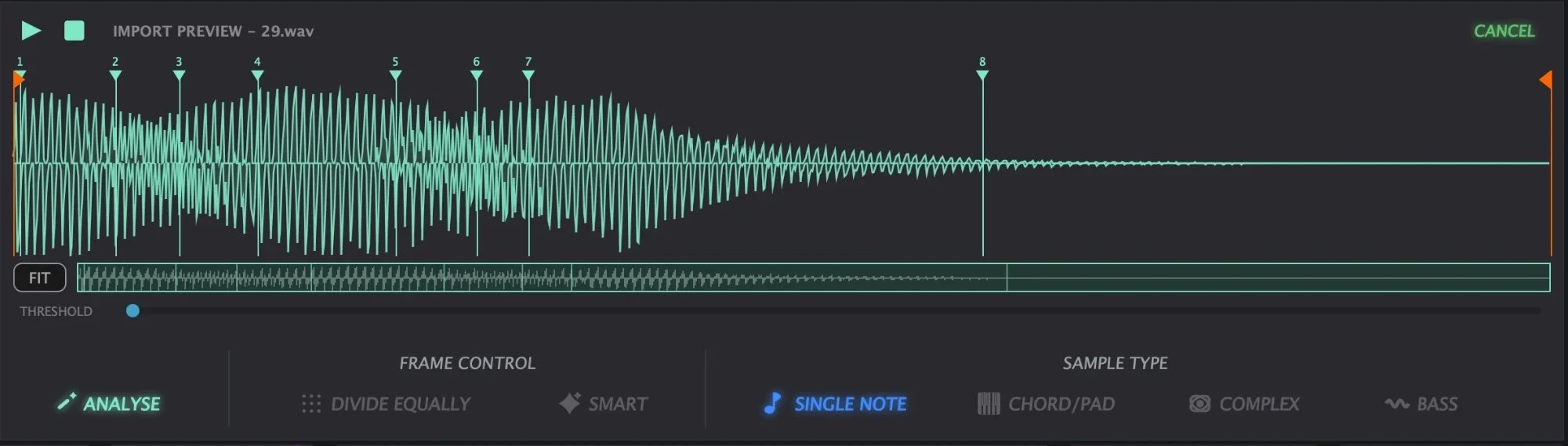
Drop in a sample and Resonant 32 analyses it, finds the partials and lays them across the eight frames. Set the frame markers by hand, divide them equally, or let SMART place them where the sound actually changes.
Four analysis algorithms, because no single one reads every sound correctly. Single Note locks onto one fundamental. Chord/Pad hunts for several at once. Bass is tuned for low fundamentals, where pitch detection most often lands an octave out. Complex is for material that refuses to behave. Pick the one that matches your source and you land closer to it.
What comes out is not a sample you trigger. It is a spectrum you can draw on, morph and modulate like anything else in the instrument.
3D sound
3D sound, built in rather than bolted on.
A convolution stage that places the sound in space rather than smearing reverb over it.
It was developed alongside my own 3D sound work over several months, and it is part of the instrument rather than an effect at the end of the chain.
Presets
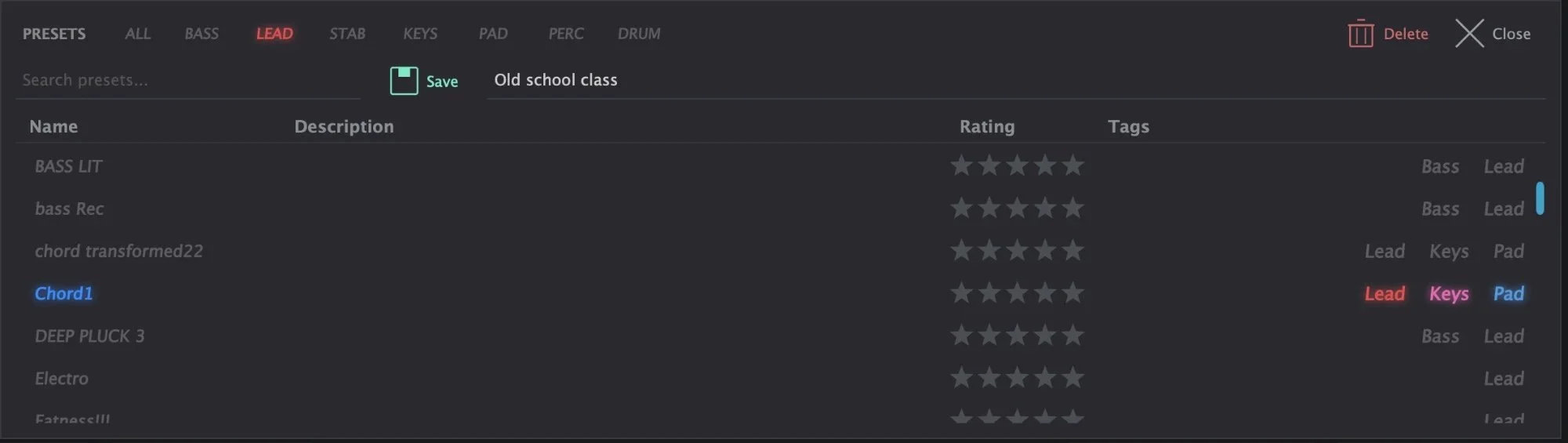
105 presets, tagged and browsable.
Bass, pad, lead, keys, percussion and texture, all tagged so you can browse by category, search by name, rate the ones you keep coming back to and save your own beside them.
They are there to be taken apart rather than just played: every one was built with the same controls you have, and nothing in them is hidden from you.
Try it first
Fifteen minutes of the whole instrument.
The demo is the whole instrument. Every preset loads, every control works, nothing is greyed out or silenced. After fifteen minutes of played sound it fades out and asks you to restart it, so take as long as you like across as many sittings as you like.
The only thing it will not do is save your own presets.
Specifications
What you are buying.
Before you install
First launch takes ten extra seconds.
Resonant 32 is not signed yet, so your operating system will stop it once. This is expected, and it clears in a few clicks:
- macOS says it cannot be verified. Go to System Settings → Privacy & Security, scroll down, click Open Anyway.
- Windows SmartScreen says it protected your PC. Click More info, then Run anyway.
- Install, then restart your DAW.
Both warnings are about a missing signature, not about anything found in the files. Certificates are being sorted and this step will disappear in a free update.
Questions
The things people ask.
How is it licensed?
Your key arrives with your receipt. Paste it into the plugin the first time you open it and it unlocks straight away — no waiting, no email to me. After that it checks itself on your own machine and never needs the internet again, so it keeps working whatever happens to my website. One purchase covers three computers, and reinstalling does not use one up.
Will my beta presets still work?
Yes. Presets live in ~/Documents/RESONANT SYNTH PRESETS and carry over untouched.
Is it CPU heavy?
It is a thirty-two partial additive engine, so it asks for more than a subtractive synth. Voice rendering is spread across cores, and the demo will tell you honestly how it runs on your machine before you pay a penny.
Windows? Intel Macs?
All three. There are separate downloads for Apple Silicon Macs, Intel Macs and Windows 10/11. Your licence covers whichever you use, and moving between them does not cost you anything.
What if it does not work for me?
Email me at hektagon@me.com. The demo exists so you can find that out before paying, but if something breaks after you have bought, I will fix it or refund you.
Download
Get the demo.
Leave your email below and the download starts straight away. It is the full instrument for fifteen minutes of played sound at a time, with all 105 presets.
Your email is only ever used to tell you when Resonant 32 is updated, or when the Windows version lands. No one else gets it, and every message has an unsubscribe link.